Workbench & Data Exploration
The workbench is where you explore data, run queries, and inspect results. It’s designed to feel fast and familiar while keeping context visible.
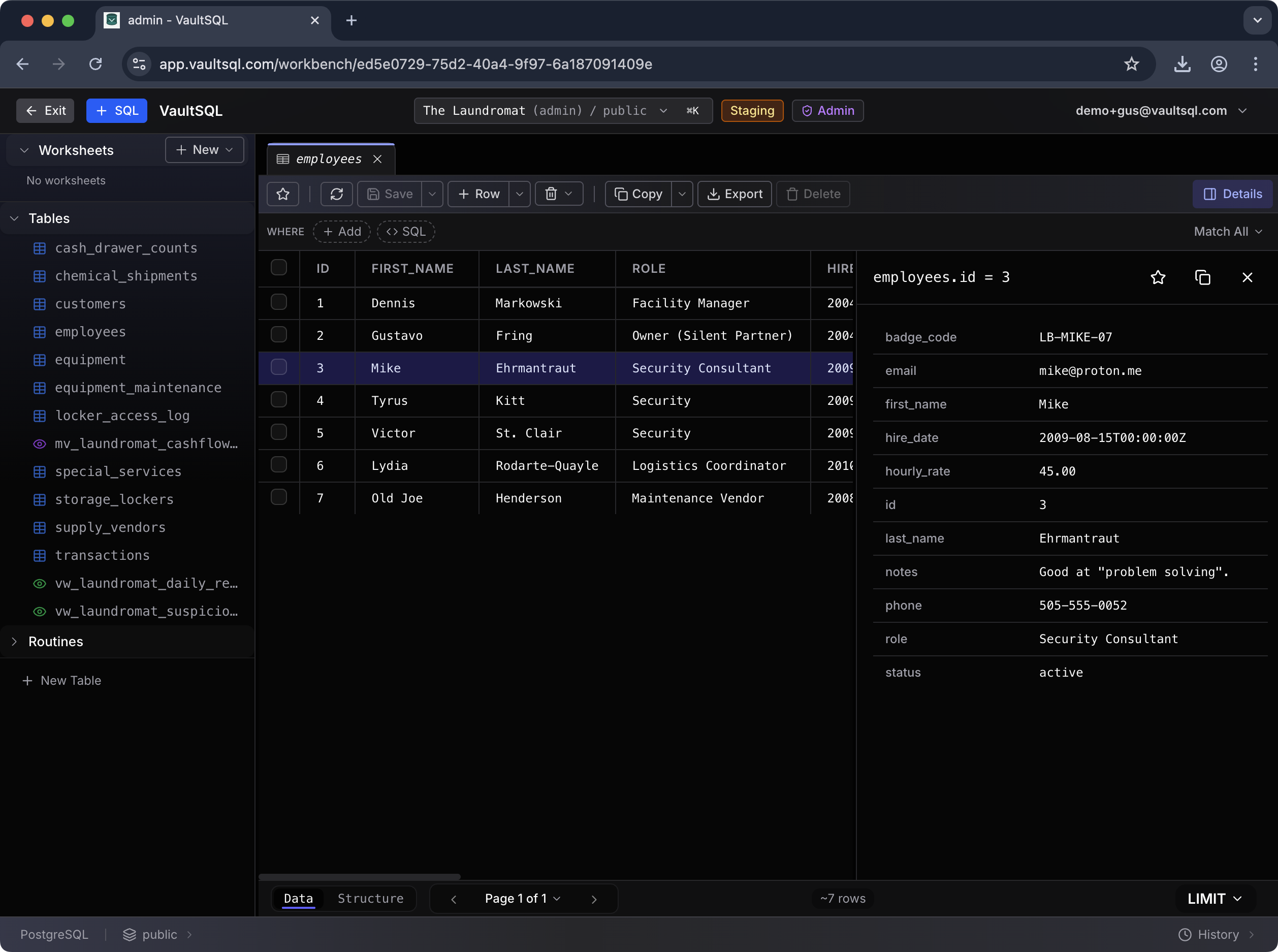
Layout at a Glance
- Left panel: worksheets and schema browser (tables, views, routines).
- Center: table grid or SQL editor.
- Right panel: row details for quick inspection.
Browsing Tables and Views
Select any table or view to load data in a grid. Use Data vs Structure tabs to switch between records and schema, and apply filters directly in the grid for quick slicing.
Navigation Helpers
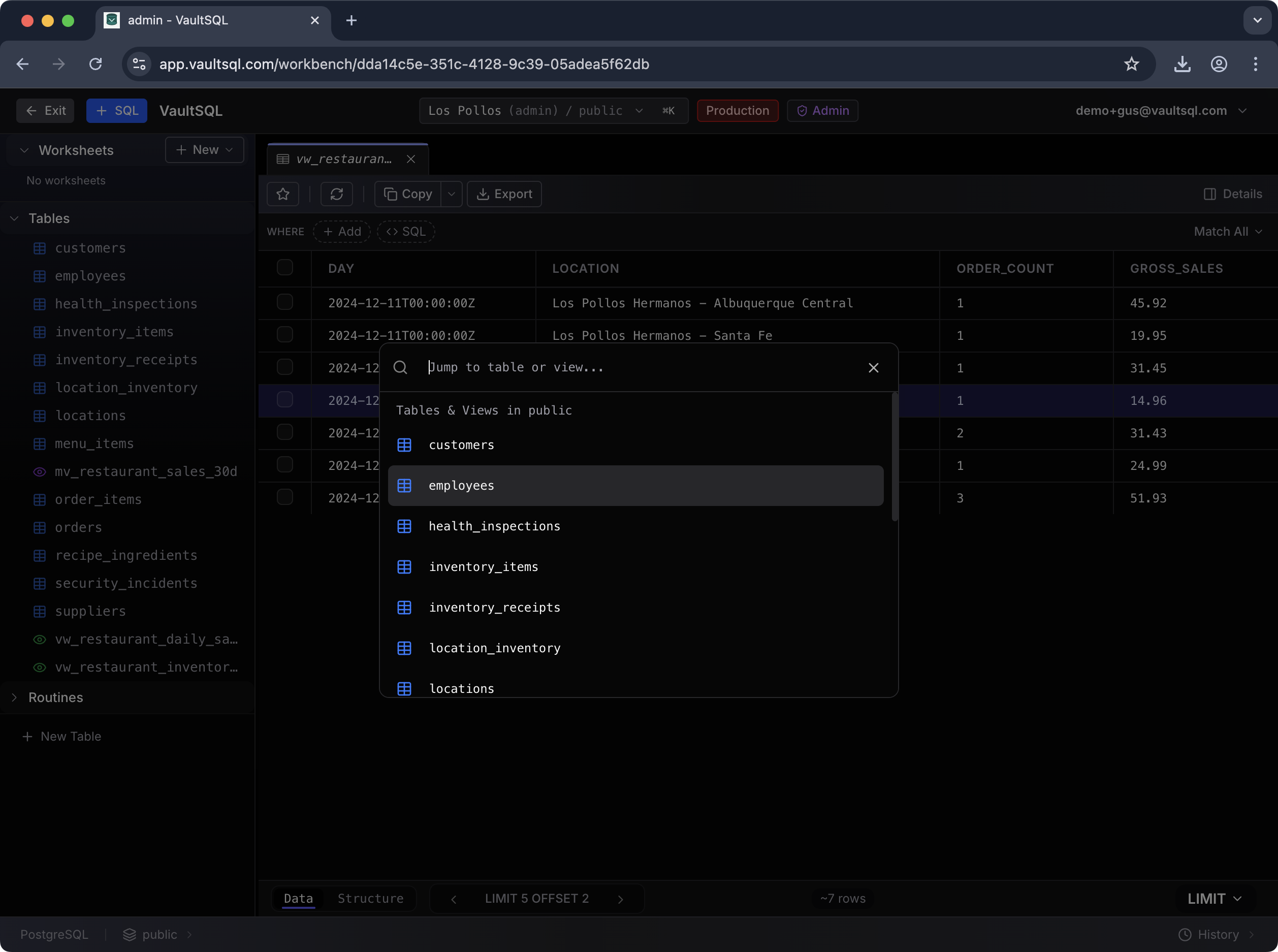
- Jump to table/view: a quick search dialog to find any object.
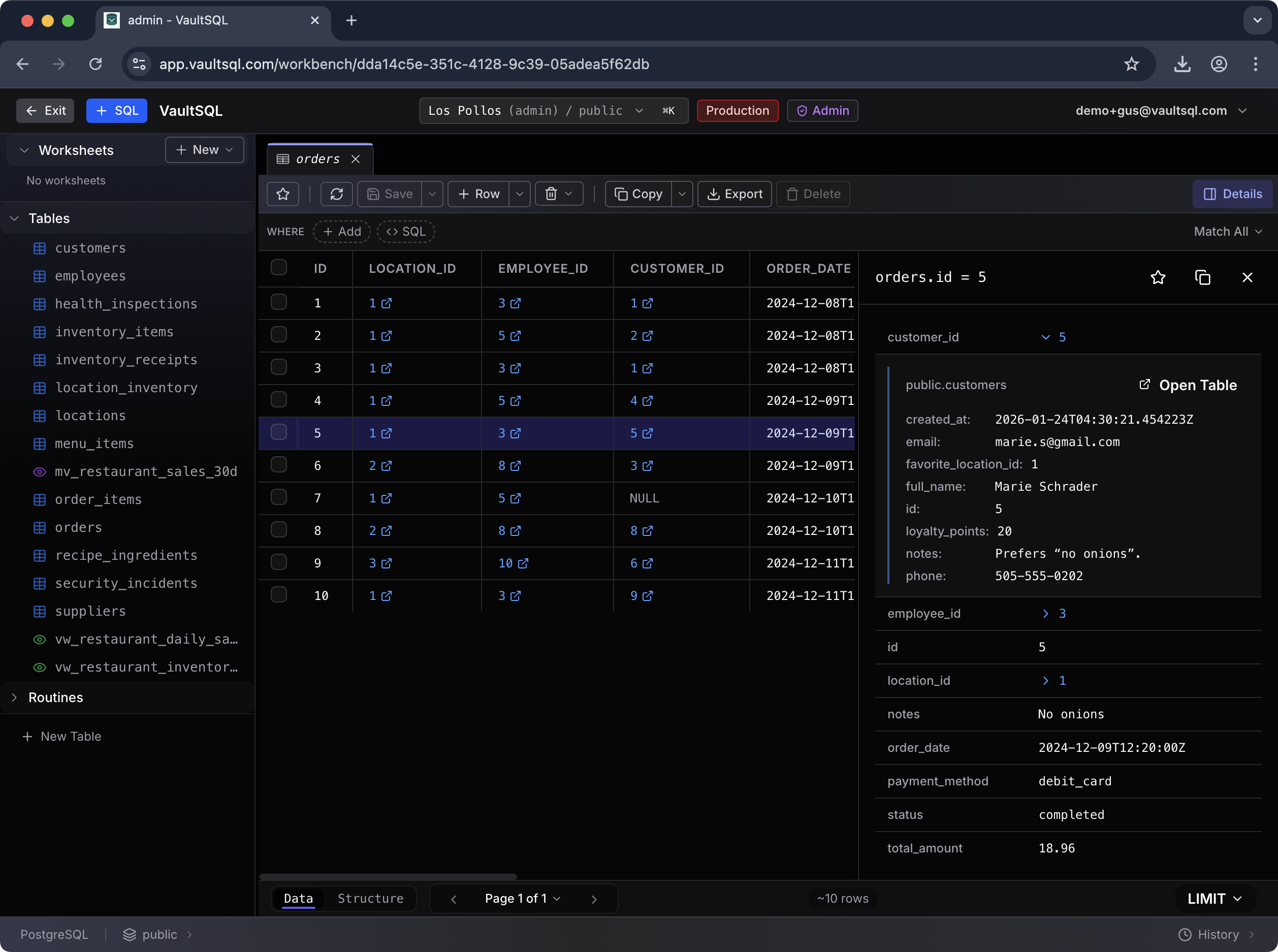
- Foreign‑key preview: view related records and jump directly to the referenced table.
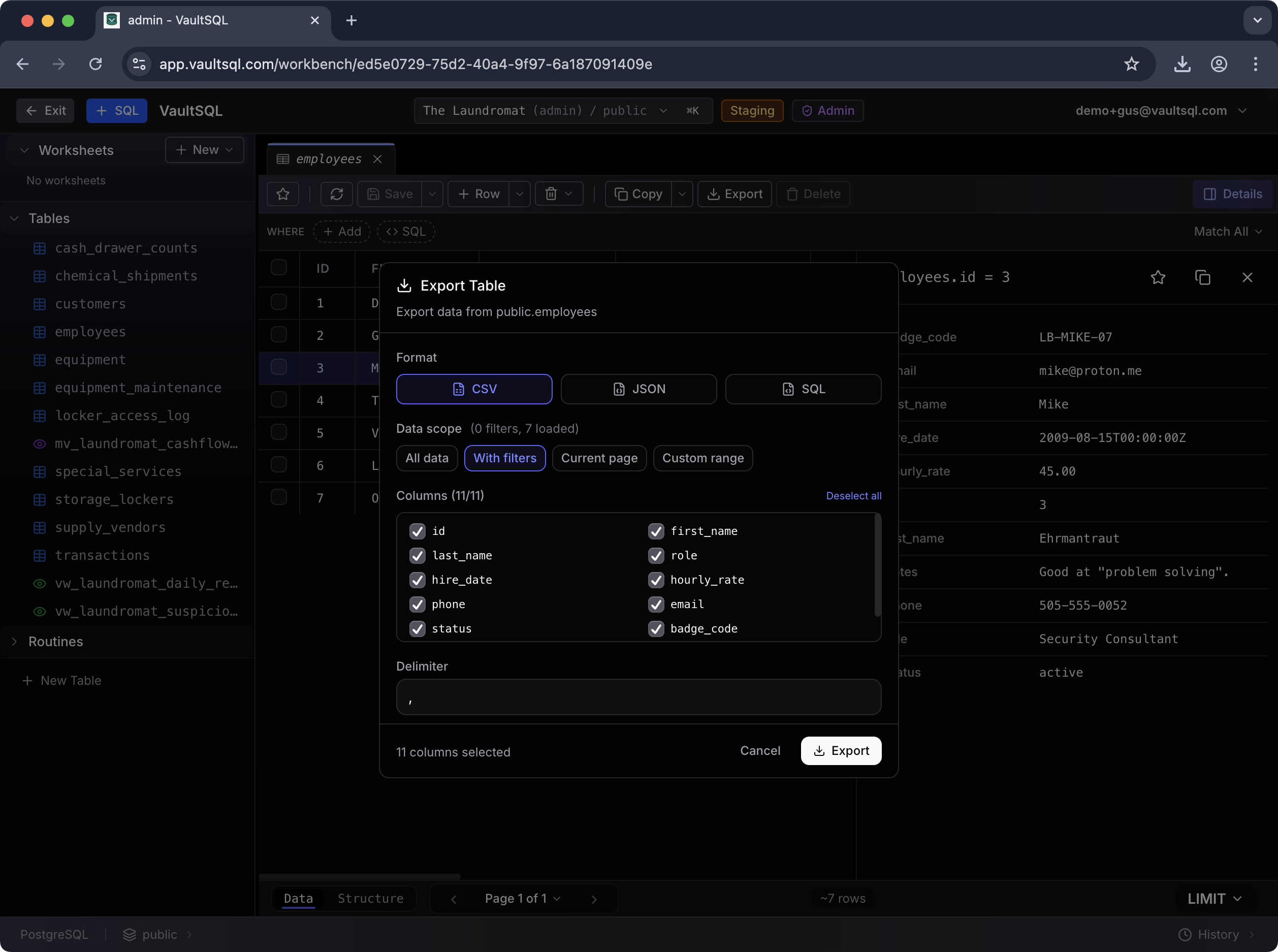
Exporting Data
Export supports CSV, JSON, or SQL. Choose scope (all rows, current page, or custom range) and select columns before exporting. This is ideal for sharing extracts or moving results into another tool.