Database Connection Setup
This guide explains how to add a database to VaultSQL and choose the right connection method. The goal is to make access reliable while keeping security and operational controls in your hands.
Quick Start (Recommended Path)
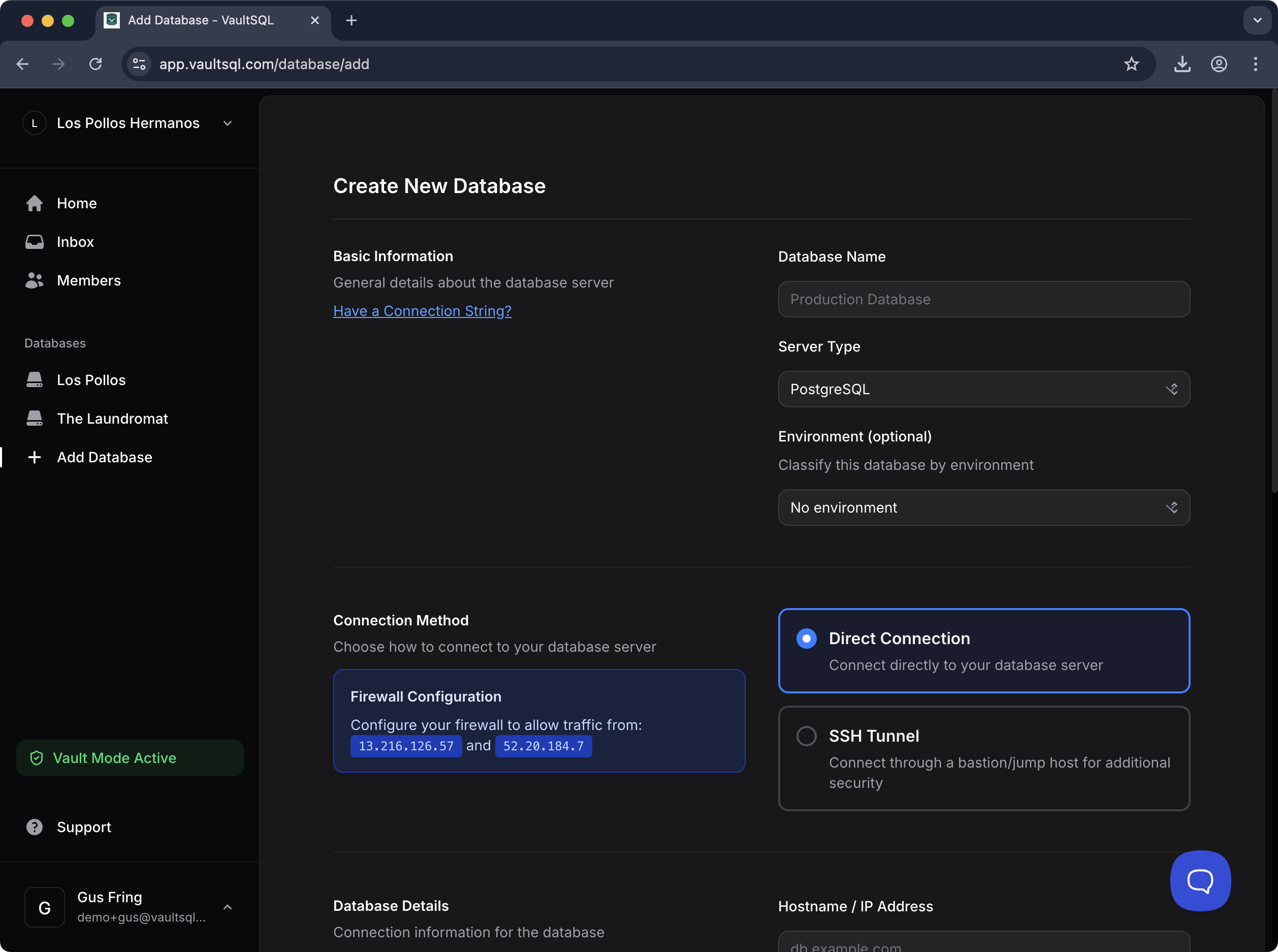
- Create the database entry with a clear name and environment tag.
- Choose Direct Connection if you can allowlist VaultSQL IPs; otherwise use SSH Tunnel.
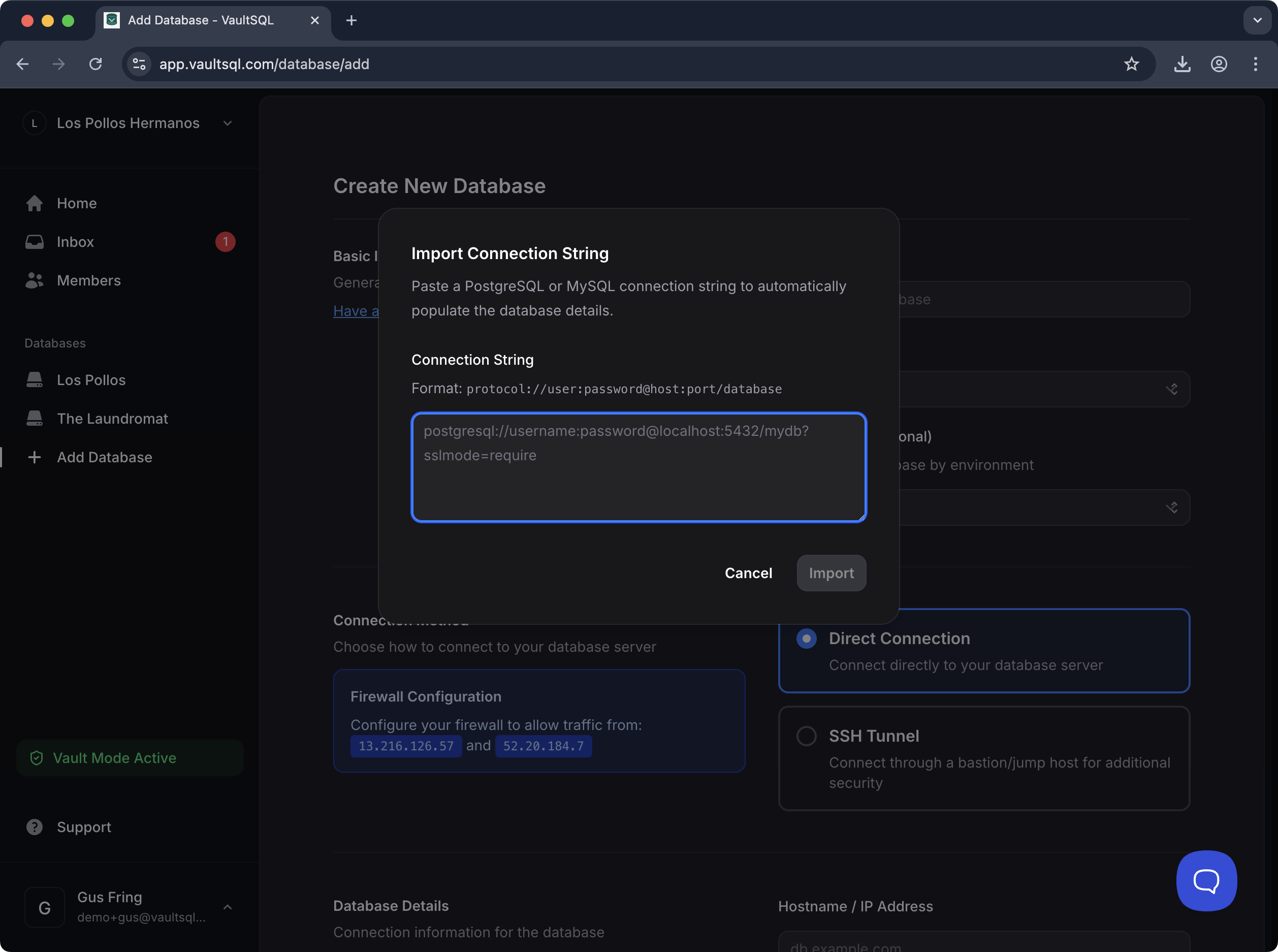
- Import a connection string to auto‑fill details (optional but faster).
- Verify credentials with a least‑privilege account (e.g., Read‑only).
Create a New Database
When adding a database, you’ll provide:
- Database name: a human-friendly label (e.g., “Production Database”).
- Server type: PostgreSQL or MySQL.
- Environment (optional): label like Production/Staging to help teams avoid mistakes.
Connection Methods
VaultSQL supports two connection paths. Both are first-class and work well; choose based on your network constraints.
Direct Connection (Firewall Allowlist)
Use this when your database is reachable from the public internet (or a network path you can allowlist).
- Allowlist VaultSQL IPs in your firewall or security group (shown in the UI during setup).
- This is the simplest setup with the fewest moving parts.
- Best for managed databases where firewall rules are the primary control.
SSH Tunnel
Use this when your database is private or only reachable through a bastion/jump host.
- SSH host + user: VaultSQL connects to a bastion and forwards traffic to your database.
- SSH key authentication: recommended for reliability and auditability.
- Keeps the database private while still enabling secure access.
Import Connection String
If you already have a connection string, use Import Connection String to auto-fill the form.
- Supported formats: PostgreSQL and MySQL
- Useful for speeding up setup and avoiding manual typos
SSL / TLS Options
VaultSQL supports standard SSL/TLS settings for database connections. Configure the same options you’d use in your native driver:
- Require SSL for encrypted transport.
- Verify certificates if your security policy requires strict validation.
- Use client certificates when your database enforces mutual TLS.
Keep SSL settings aligned with how your database is configured to accept connections.
Operational Notes
These choices are intended to keep access secure and predictable without added overhead:
- Prefer least‑privilege credentials for production databases.
- Environment tags (Production/Staging) help teams avoid running changes on the wrong system.