VaultSQL Overview
VaultSQL is a secure SQL client built for teams. It keeps database access straightforward while treating credentials and permissions with extra care.
Core Ideas
- Vault Mode vs Managed Mode: Vault Mode uses a user‑owned passphrase; Managed Mode is admin‑managed. Both are designed to keep access clear and auditable.
- Local‑only passphrase: the vault passphrase is stored on the user’s machine, not on VaultSQL servers.
- Workspaces and roles: teams organize access by workspace, database, and role.
Architecture Snapshot (High Level)
VaultSQL is a full‑stack application with a React frontend, a Django API, and a Go query service. The services are routed through a single entry point, and databases live outside VaultSQL as the source of truth for permissions.
Typical User Flow
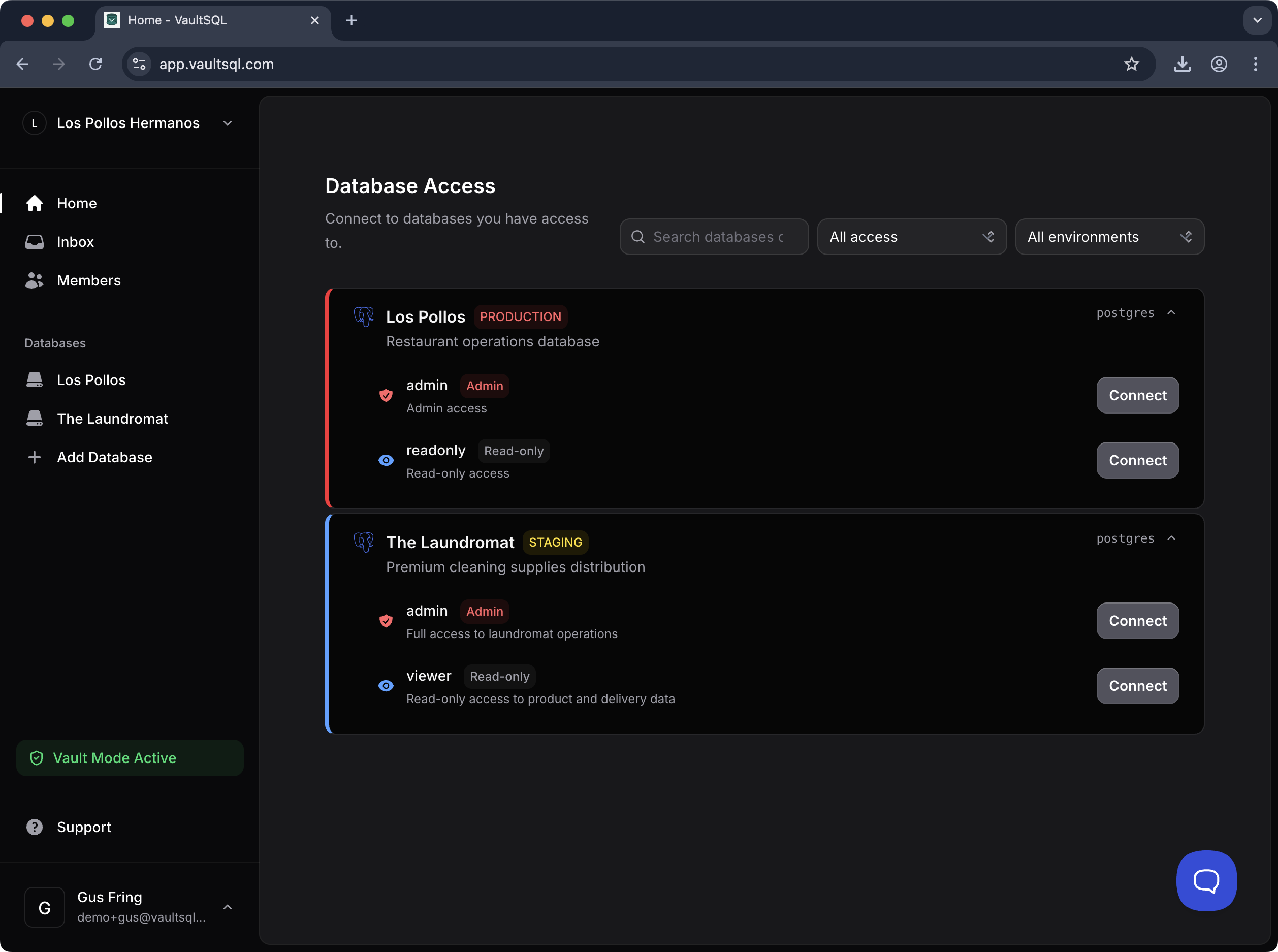
Join a workspace → request access to a database → connect with the right account → explore and query in the workbench.
Glossary (Quick Reference)
- Workspace: a team space that contains members, databases, and access rules.
- Database: a registered database server in VaultSQL.
- Account: a set of credentials tied to a database (e.g., Read‑only, Admin).
- Vault Mode: credentials are encrypted and unlocked with a user‑owned passphrase.
- Managed Mode: credentials are managed by admins for shared access.
- Environment: a label like Production or Staging to reduce mistakes.