Navigation & Workspaces
VaultSQL is organized around workspaces. Each workspace contains databases, members, and access rules. The navigation is designed to keep these areas easy to reach without getting in the way.
Sidebar & Top Bar
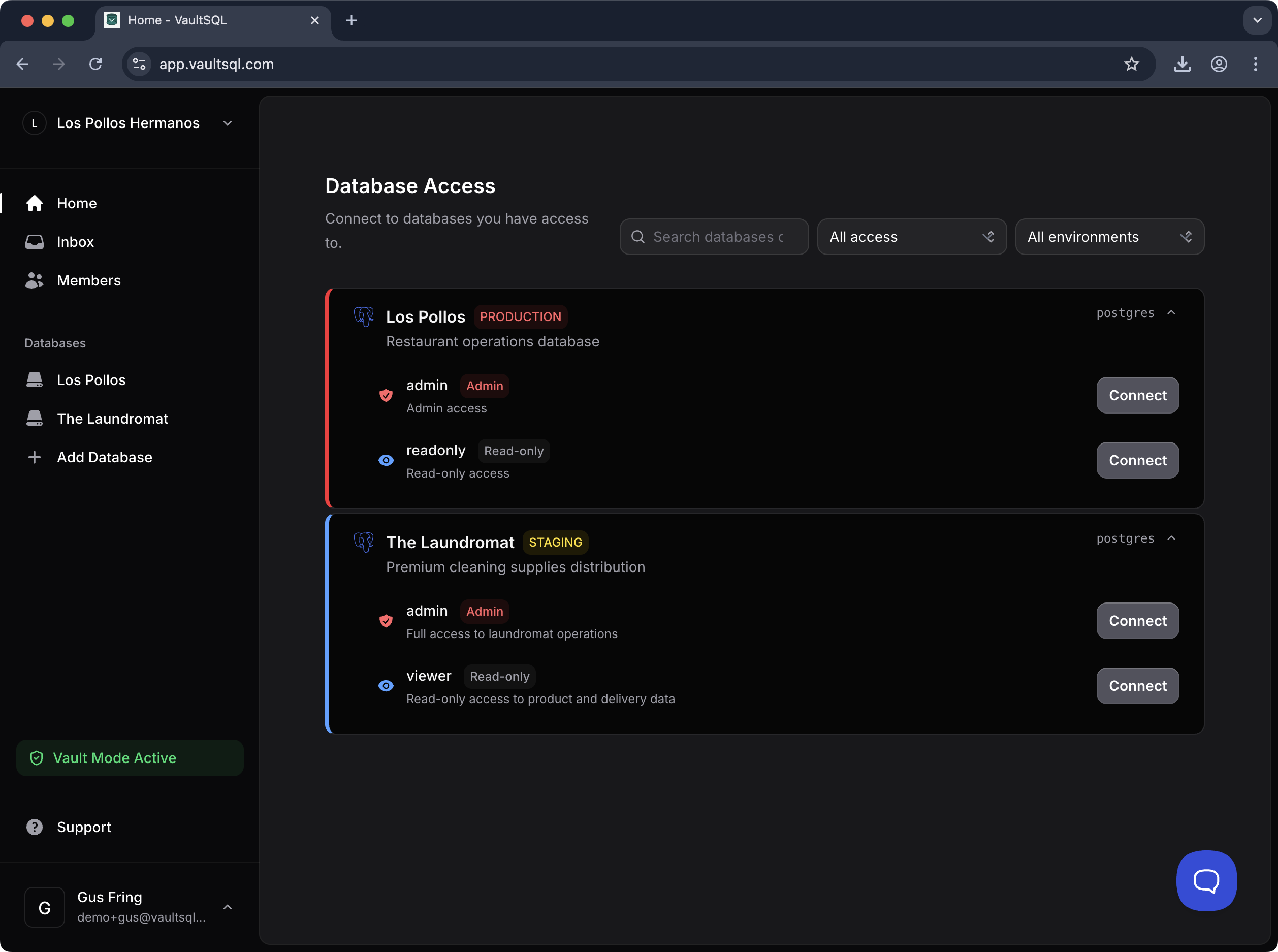
- Primary navigation: Home, Inbox, Members, and Databases.
- Workspace switcher: move between teams or environments quickly.
- User area: profile and session controls.
- Environment badges: clear labels like Production or Staging to reduce mistakes.
Home / Database Access
The Home view shows the databases you can access, with quick actions for connecting. Each database card displays:
- Database name and environment
- Available roles/accounts (e.g., Admin or Read‑only)
- A direct Connect action
Use the filters to narrow by access level or environment when your workspace grows.