Vault Mode & Keys
Why Vault Mode
Vault Mode exists to make credential security simple, strong, and user-controlled. Instead of storing raw database passwords on the server, VaultSQL encrypts them and requires a user-held passphrase to unlock. This keeps sensitive access local to the person who is allowed to use it.
What Makes It Special
- Local-only passphrase: the vault passphrase is stored on your machine, not on VaultSQL servers.
- User-controlled unlock: access to credentials is gated by your passphrase, so the user remains in control.
- Clear, predictable flow: if the vault is locked, the app tells you and asks to unlock before accessing credentials.
Unlocking the Vault
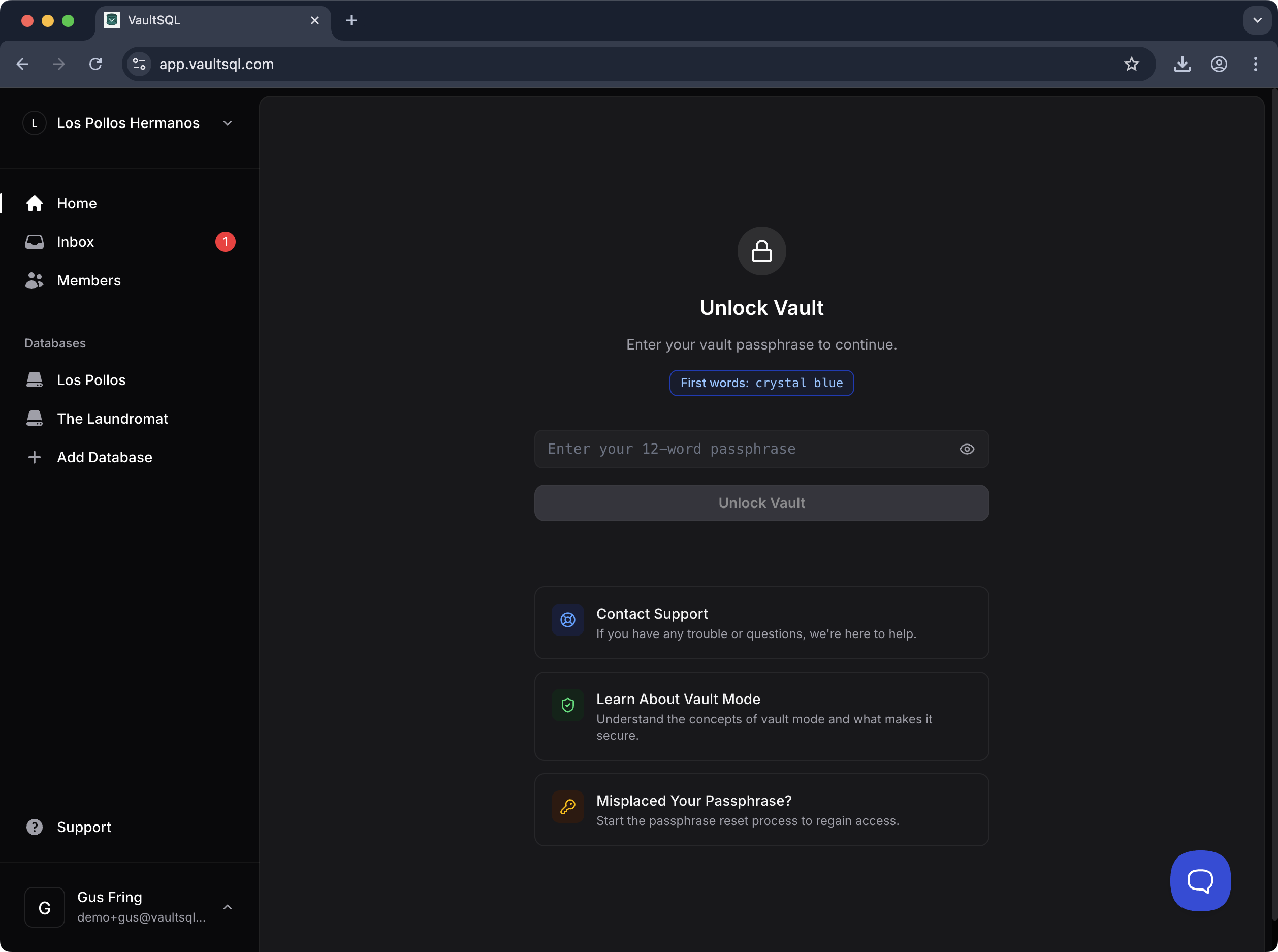
When you need to connect or run queries that require encrypted credentials, VaultSQL prompts you to unlock the vault with your passphrase. A short “first words” hint helps confirm you have the right phrase. Support and recovery links are available from the same screen.
When You’ll See It
You’ll encounter the vault prompt when:
- Opening a database that uses encrypted credentials
- Starting a session after the vault times out or the app is refreshed